
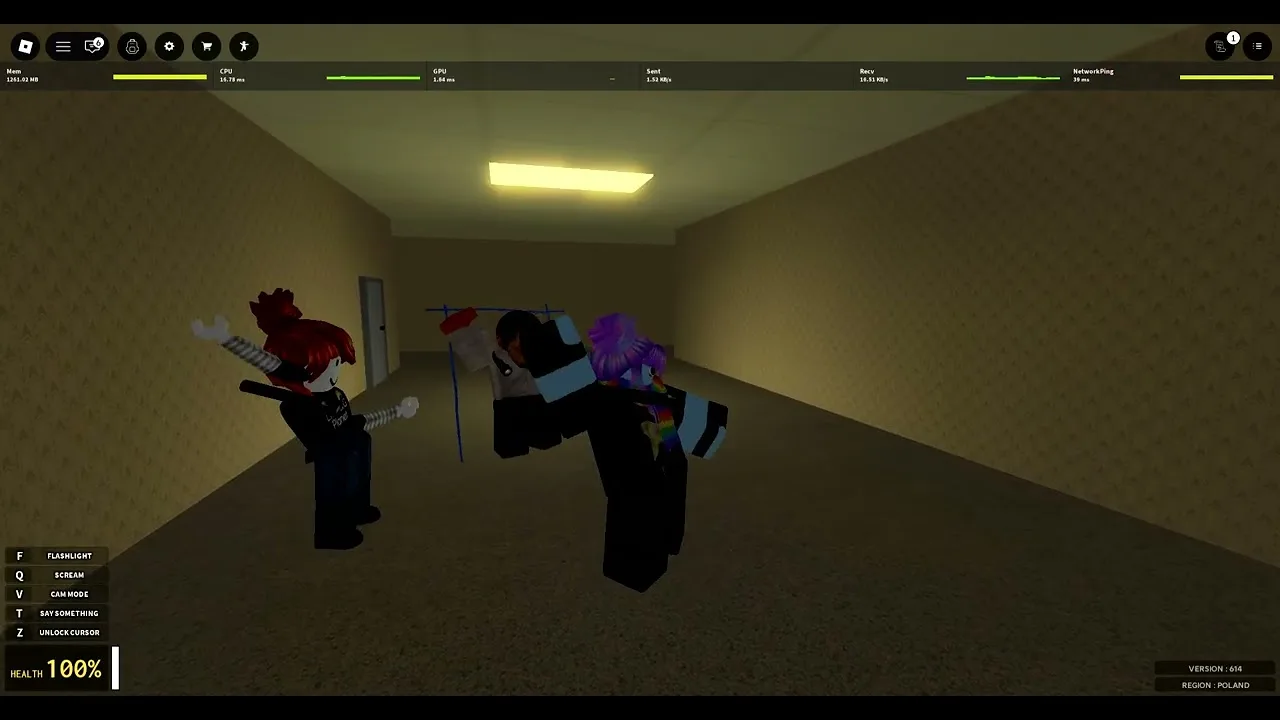
How to Use Voice in Bahkruums
Risk and reward for scream, speak, and emote binds in OrbitWave Creations' twenty-player nextbots BETA.
Audio is not a cosmetic layer in Bahkruums [BETA] — it is a survival resource. OrbitWave Creations built a Roblox nextbots experience inspired by Garry’s Mod chase modes, Hussrooms, and other liminal horror games where what you hear and what you broadcast decide how long you live. The official control list gives you three social inputs beyond movement: Scream on Q, Speak on T, and Emote on G. This guide explains when each bind helps, when it hurts, and how twenty-player lobby noise changes the math. Read Controls for the full bind table, then return here for discipline under chase pressure.
Why voice matters in nextbots survival
Chasers in Gmod-style Roblox titles telegraph through loud cues, music stingers, and player panic. Your own outputs feed back into that loop. A scream in the wrong hallway can stack aggro on your group; a well-timed whisper on T can redirect friends without opening a map-wide audio beacon. Bahkruums uses R6 morph avatars in Backrooms-style halls — silhouettes are visible in yellow light, but sound often arrives first. Treat every bind as a broadcast radius, not a private button.
Scream (Q) — highest risk, lowest default use
Q scream is the loudest intentional input OrbitWave documents. It is fun for lobby jokes and clip moments; it is dangerous during stealth routes, hide attempts, and mid-chase recoveries.
When scream can help (rare):
- You are already detected and want to bait chaser attention away from quieter teammates — accept that you may die for the trade.
- You are in spawn-safe downtime with no active pressure and the server culture expects meme moments.
- You need a single emergency callout and voice T is unavailable due to Roblox age or privacy settings.
When scream hurts (common):
- Any active chase where line of sight is not broken.
- Crowded doorways where three players already made noise.
- Full lobbies near 20 players where scream chains amplify into map-wide chaos.
Default rule for new survivors: keep Q unbound mentally until week two. Pair scream etiquette with How to Survive routing so you do not celebrate escapes by inviting the next chase.
Speak (T) — push-to-talk as a tactical radio
T speak depends on Roblox voice chat eligibility, account age, parental controls, and your client privacy settings. When voice works, it is the most flexible coordination tool — and the easiest to misuse.
Roblox voice setup checklist:
- Open Roblox settings → Privacy → confirm voice chat is enabled for your account tier.
- In-experience, check whether Bahkruums uses proximity voice or a global channel — behavior may vary during BETA.
- Set input device to your headset microphone; disable open-mic echo from speakers.
- Test T in a quiet corner before joining peak-hour lobbies.
- Mute toxic players through Roblox UI rather than escalating with Q.
Voice discipline during hunts:
- Three words maximum: “left,” “stop,” “behind.”
- No story time while sprint audio plays — teammates cannot parse paragraphs under chase music.
- If you cannot add information beyond what footsteps already reveal, stay silent.
Voice wins rounds when it replaces guesswork, not when it fills silence. See the printable bind reference on Keybind Cheat Sheet for quick reminders mid-session.
Emote (G) — expression without full scream radius
G emote lets you react without always triggering the same audio footprint as Q. In many sessions emotes read visually to nearby players who already have line of sight — useful when you are stacked with friends who see your avatar.
Emote risks:
- Animation locks can slow movement at the wrong frame.
- Visual flair in open halls draws human attention even when chaser AI ignores emotes.
- Spamming G in choke points blocks doorways — a social grief even when audio stays low.
Use emotes in downtime, not as a substitute for voice when callouts matter. If you need silent communication, prefer routing and positioning over emote chains.
When to stay completely quiet
Silence is a valid tactic. Stay quiet when:
- You are learning a new loop after a patch — listen before you talk.
- Chaser audio is rising but you have not broken sight yet — speaking adds another beacon.
- The lobby is above fifteen players and already scream-heavy — more noise rarely helps.
- You are hiding after a corner break — even whisper volumes carry in liminal halls.
Headphones are mandatory for this playstyle. Stereo separation lets you separate entity audio from player audio before you decide to press T. Run the audio section of Settings Checklist before serious sessions.
Twenty-player lobby noise profile
Max 20 players sounds small until everyone discovers Q. Noise scales non-linearly:
| Population | Audio environment | Voice recommendation |
|---|---|---|
| Under 8 | Footsteps and occasional screams | Short T callouts OK |
| 8–15 | Overlapping chase stingers | Textless directional only |
| Near 20 | Scream stacks and sprint trails | Silence or party-only voice |
Edge routing — loops along map perimeter with fewer crossing players — reduces how much lobby noise corrupts your reads. That movement strategy lives on How to Survive; this page explains why quiet edge players hear chasers earlier.
Headphones, mix, and Roblox client settings
Bad audio config makes voice binds feel useless:
- Do not mute SFX to comfort yourself — you lose early chaser warning.
- Lower music slightly if it masks footsteps; keep chase stingers audible.
- Disable spatial audio experiments if directional cues feel wrong after Roblox engine updates.
- Re-check mix after patches listed on Updates — OrbitWave may tune ambient hum levels.
PC is the reference platform; official text warns limited console and mobile support. Voice and scream timing on touch devices are unreliable during BETA — see PC vs Mobile before you blame binds on the wrong hardware.
Party play vs public servers
Friends on Roblox party voice (outside T) can coordinate without polluting public proximity chat — still keep callouts short. In public lobbies, assume strangers will scream-react to your voice. If you join with friends, agree pre-session:
- One designated caller on T, others silent during hunts.
- Zero Q chains unless everyone accepts the gag.
- Rejoin same server via Roblox invite rather than shouting room codes mid-chase.
Griefing, muting, and beta community health
Bahkruums launched 21 July 2026 and climbed to roughly 121k visits and 4.7k favorites while still in early BETA — small enough that reputation sticks. If someone spam-screams:
- Mute via Roblox, do not counter-scream.
- Route away from stacks rather than lecturing mid-round.
- Report sustained harassment through official channels when warranted.
Voice discipline keeps public lobbies playable for newcomers checking Getting Started on day one.
Session warm-up for voice binds
Before ranked-in-your-head survival attempts:
- Confirm T push-to-talk is not stuck.
- Test one G emote in safe spawn — verify animation does not snag camera.
- Fire one Q scream alone — remember how loud it is.
- Run a silent loop listening for entity cues.
- Skim latest patch notes if Patch Tracker shows a recent update.
Related guides
- Controls — full bind reference for Q, T, G, Z, Shift
- How to Survive — routing when audio fails
- Keybind Cheat Sheet — printable PC reference
- PC vs Mobile — platform limits on voice and scream
Return to the Guides hub for all Bahkruums walkthroughs.
Frequently Asked Questions
Quick answers for Bahkruums players mid-run.
Should I use scream (Q) during chases in Bahkruums?
Usually no. Scream is the loudest bind and reveals position. Reserve Q for spawn-safe moments or when you already accept drawing chaser attention.
How do I enable voice speak (T) in Bahkruums?
Confirm Roblox voice chat eligibility in account privacy settings, select a headset microphone, and test T in a quiet area before busy lobbies.
Is emote (G) safer than scream (Q)?
Often yes for audio footprint, but emotes can lock movement and distract nearby players visually. Use G in downtime, not mid-escape.
Why do full twenty-player lobbies feel louder?
Scream chains, sprint trails, and chase music stack. Edge routing and silence often beat adding more voice or Q spam.
Do I need headphones for voice discipline?
Strongly recommended. Headphones separate entity cues from player noise so you know when T callouts actually help.
Where is the quick bind reference?
Open the keybind cheat sheet under Tools for Shift, Q, T, Z, and G alongside chase usage notes.